If you previously had an ABCmouse subscription was cancelled, you can easily reactivate your account by signing in with your original login information (email address and password) or using our new magic link "passwordless" log-in system.
Once you log in, select a subscription plan and you’re all set. You can do this either on the ABCmouse.com website or directly in the ABCmouse app. Then follow the steps outlined below to restart or restore your access to ABCmouse so your child can continue their learning journey.
Steps to Resubscribe
In the ABCmouse App:
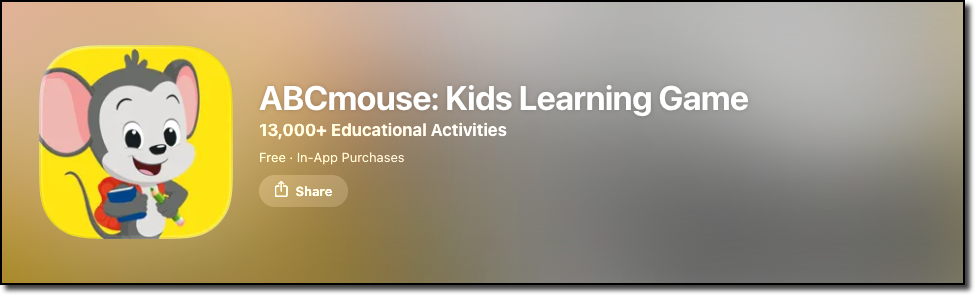
Open the ABCmouse app on your device.
-
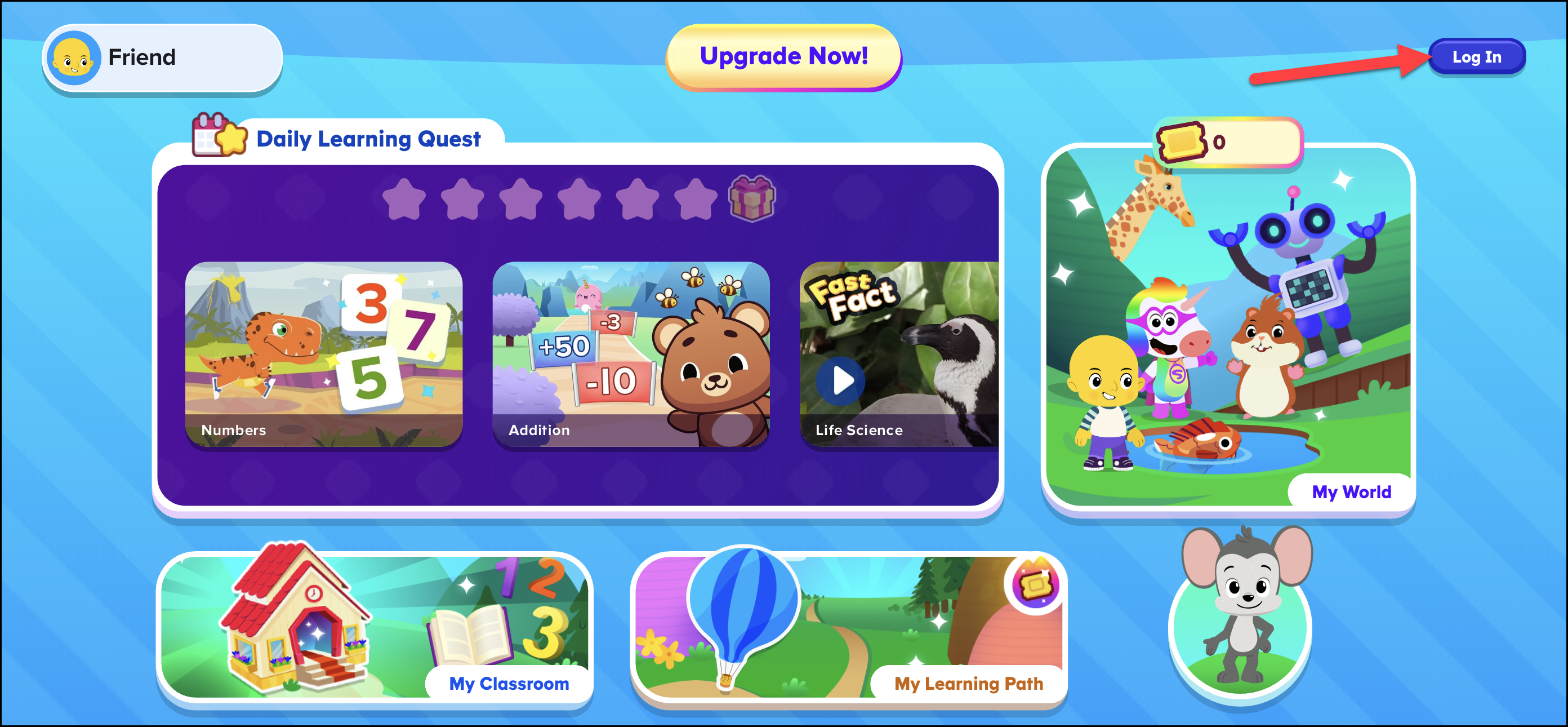
You should already be logged in, but if not, tap the Log In option top of your screen. It’s important to log in first before tapping on 'Upgrade Now!' or 'Try it FREE for 30 days!' Logging in ensures you’re reconnecting to your existing account, so your child’s saved progress, profiles, and settings are restored. If you tap 'Upgrade Now!' or 'Try it FREE for 30 days!' before signing in, you may accidentally create a new account instead of resubscribing to your original one.

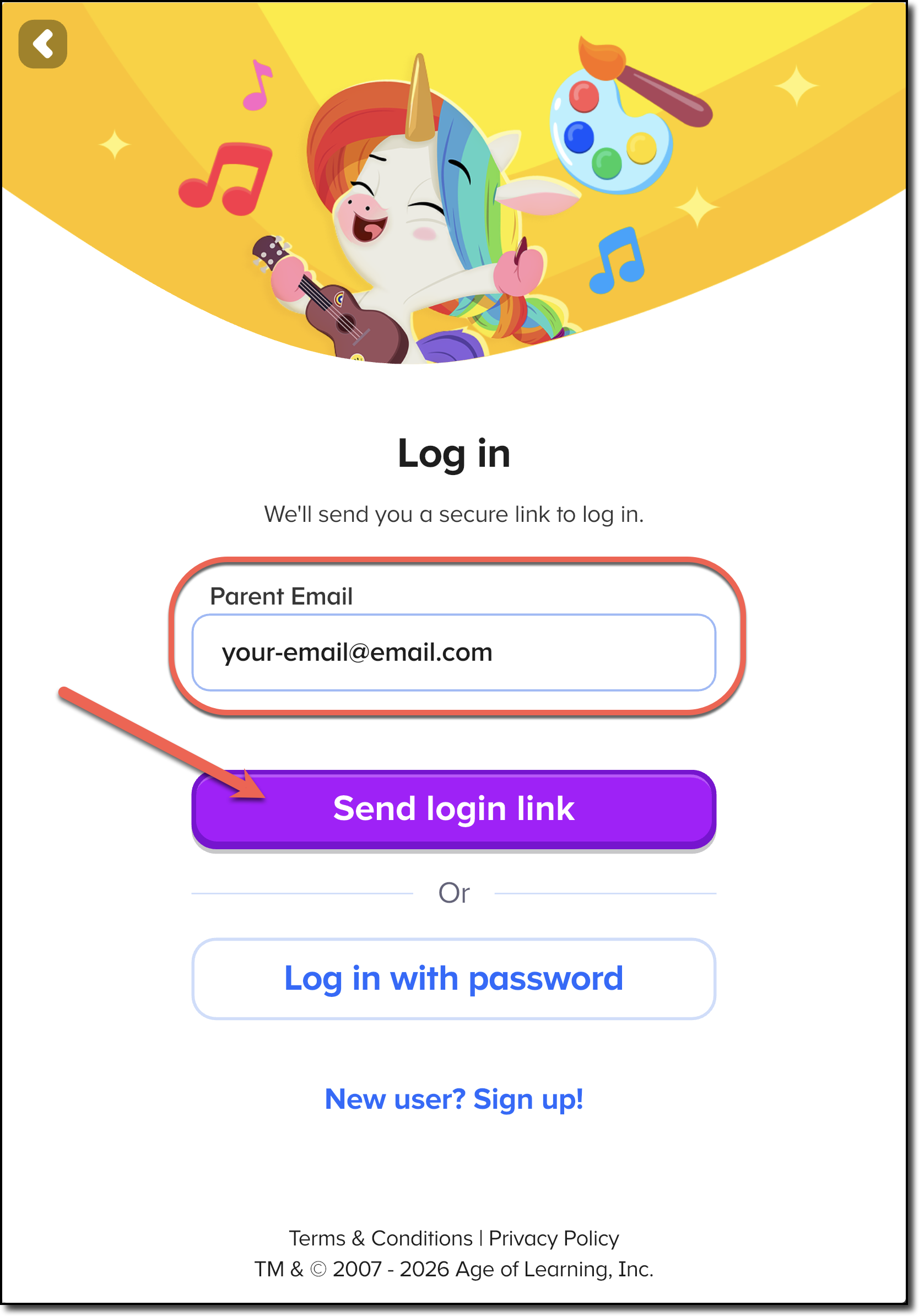
Enter the email you used with your previous ABCmouse account click the Send login link button to have a login link sent to your email. (You can enter your previous password instead if you remember it.)
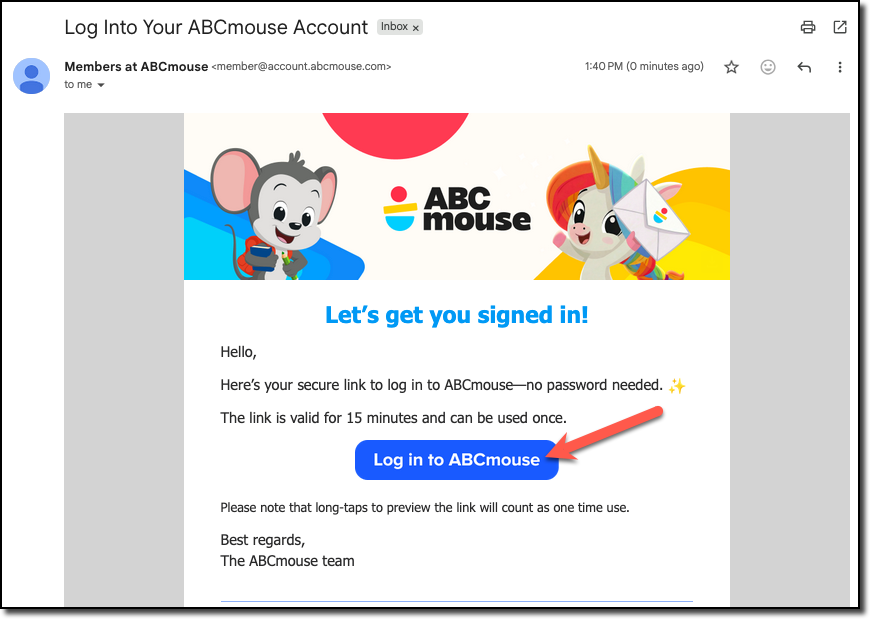
Open the email we sent you and click the Log in to ABCmouse button. You'll be logged in to your previous account on the device you requested the link from and the device you clicked on the email link (if both devices have the app).
Once you've logged in to ABCmouse, click Upgrade Now! to choose your new subscription.
Choose a subscription plan. Common options include a Monthly subscription or an Annual subscription. Note: As a previous subscriber, you won't qualify for any trial period or special offers that are for new members only.
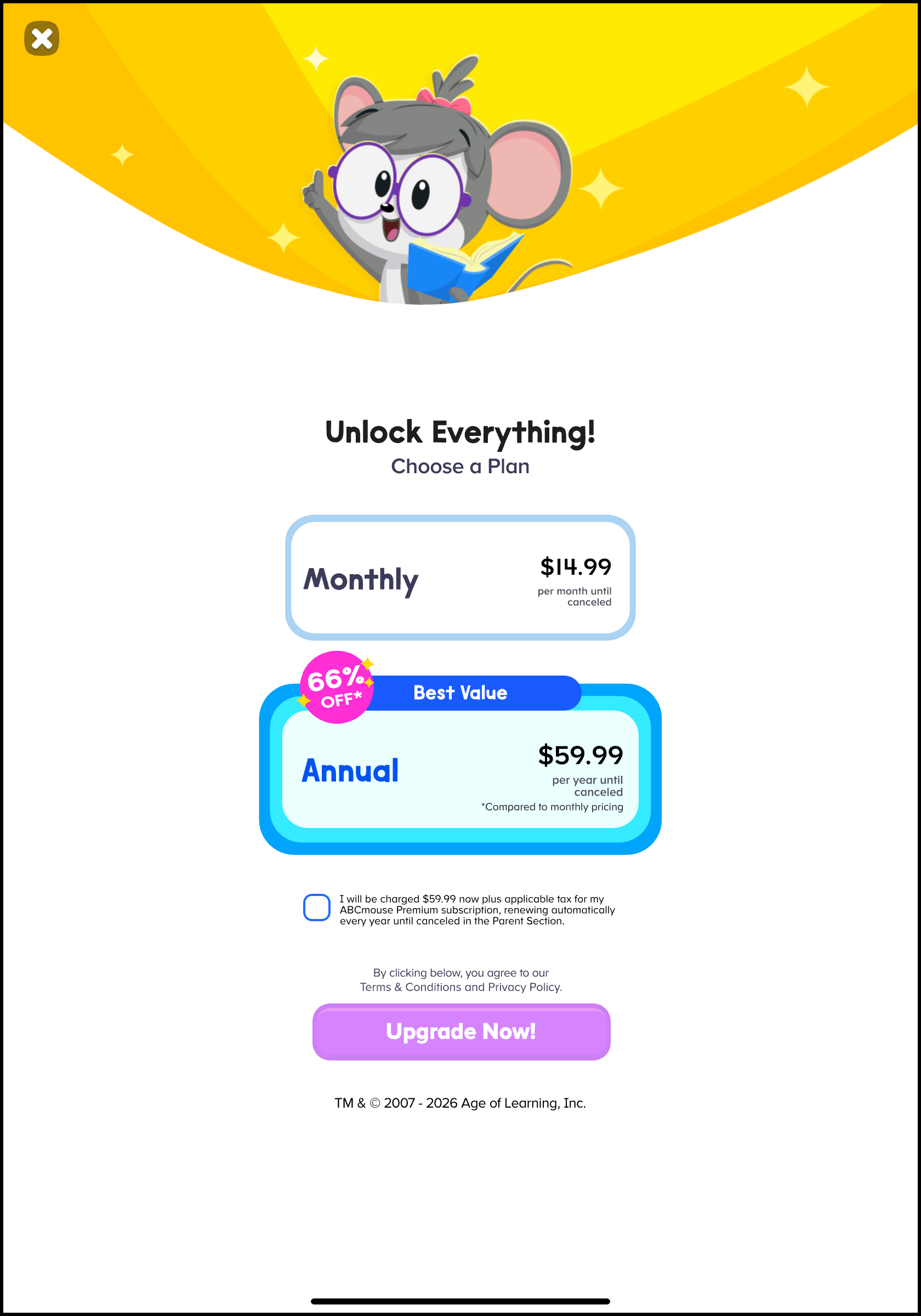
Once completed, your account will be active again and your child’s progress will be saved.
On the Website (abcmouse.com/abc/):
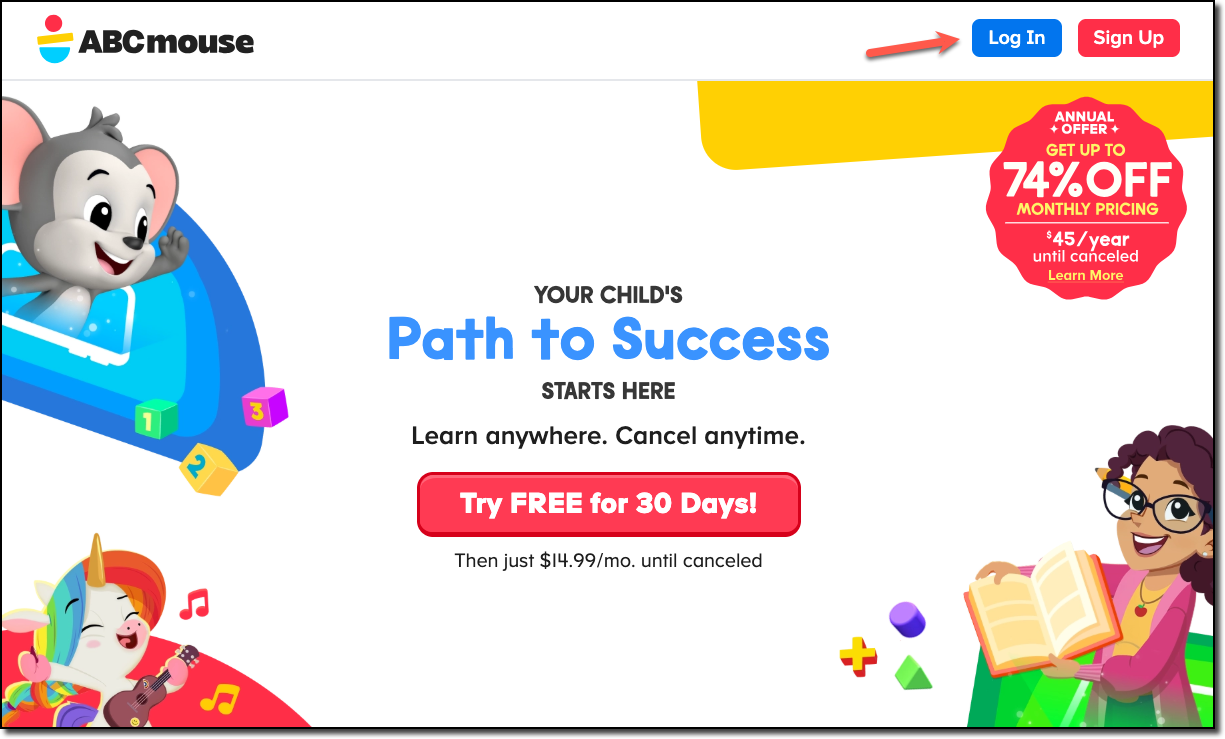
- Go to the ABCmouse website at https://www.abcmouse.com/abc/ and click the Log In button.
-
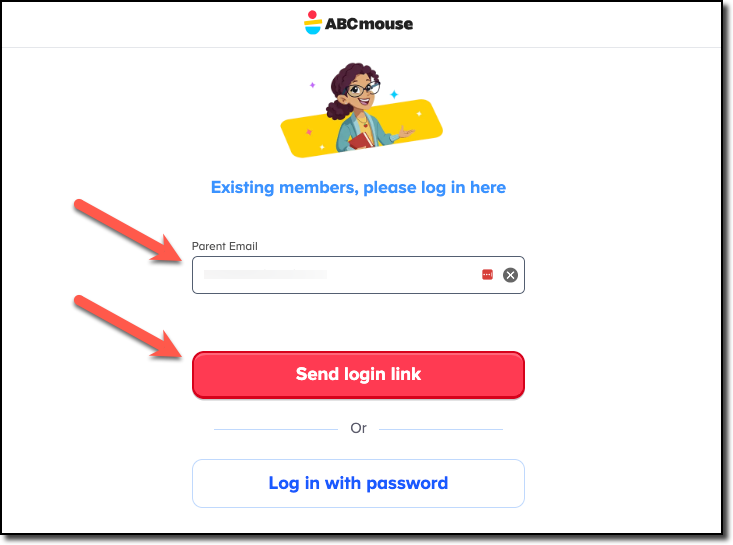
Log in with your existing account
- Enter the email address you previously used for your ABCmouse account and click Send login link. Open the email we sent you and click the Log in to ABCmouse button.
- If you remember your password, you can enter the email address and password you previously used for your ABCmouse account.
-
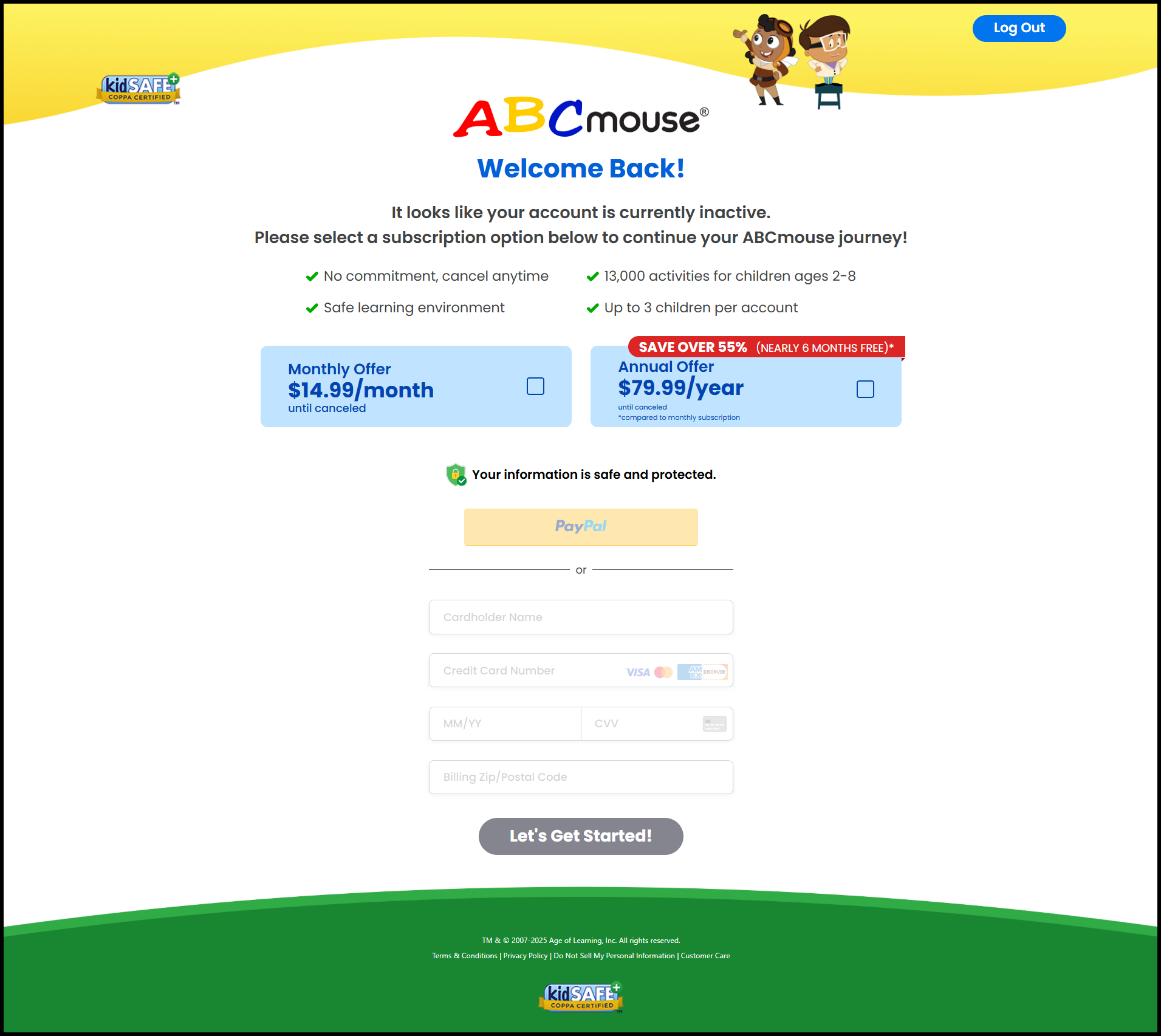
Update your Billing Information
- You'll be prompted to provide new payment details.
- After updating your billing information, select a subscription plan.
-
Confirm and Reactivate
- Once complete, your subscription will be reactivated, and your child can begin learning again with full access to ABCmouse.
If you encounter any issues during the resubscription process, feel free to reach out to our customer support for assistance.