ABCmouse Classic puzzles are thoughtfully designed to support cognitive development, problem-solving, and vocabulary growth in fun, interactive ways. Whether your child is piecing together a jigsaw or solving a math puzzle, each challenge helps build foundational learning skills.
This article explains how to adjust puzzle difficulty levels to match your child’s needs, making sure each activity is just the right level of challenge.
Quick Tip: Puzzle levels range from 1 (easiest) to 10 (most challenging). You can adjust difficulty anytime by clicking the level number!
How to Change the Difficulty of Puzzles
ABCmouse Classic offers a range of difficulty levels for many puzzles so that every learner can find the “just right” level of challenge.
By default, each puzzle follows the Learning Path level set for your child, but you can easily adjust the difficulty at any time. Here's how to do that:
Click on a puzzle to open it.
You’ll see a Level number displayed (e.g., Level 6) with arrows on each side.
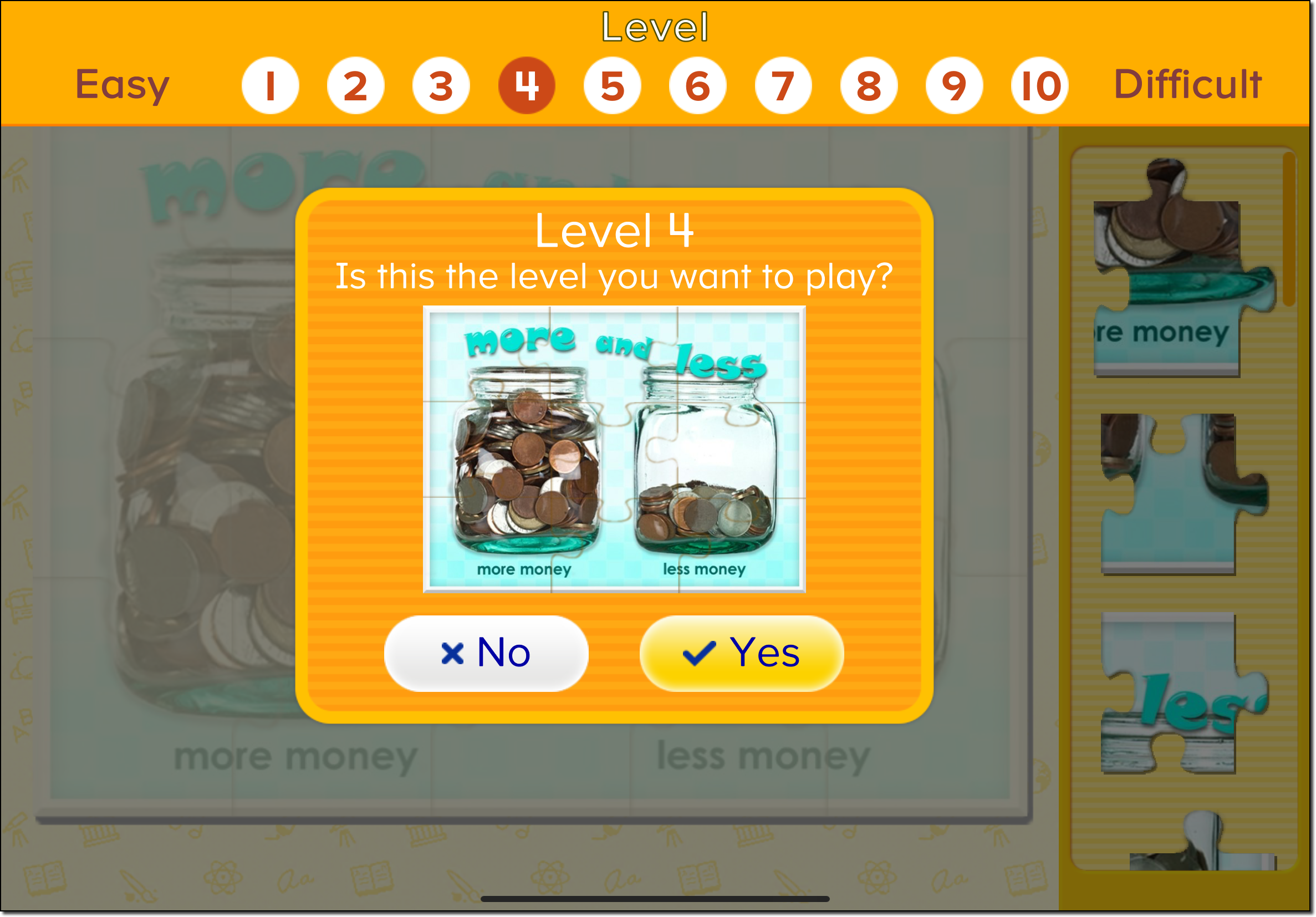
Click anywhere in the Level area to open a list of difficulty levels (1–10).
Tap a number to choose a different level—lower numbers are easier, higher numbers are more difficult.
Click Yes to confirm your choice.
In the example shown here, we’re changing a Level 6 puzzle to Level 4 to make it easier:
Play the Puzzle Again
After your child completes a puzzle and earns tickets, they can tap the Play Again button to replay the puzzle at the same level—or adjust the difficulty again for more or less challenge.
Encouraging your child to experiment with different levels can help build both confidence and critical thinking skills!