If you forgot your password and cannot log in to ABCmouse 2, you can easily reset it from the login screen on the website (https://www.abcmouse.com/abc/forgot-password/) or the app. When you reset your password, you’ll receive an email with a secure link to create a new one.
Steps to Reset Your Password
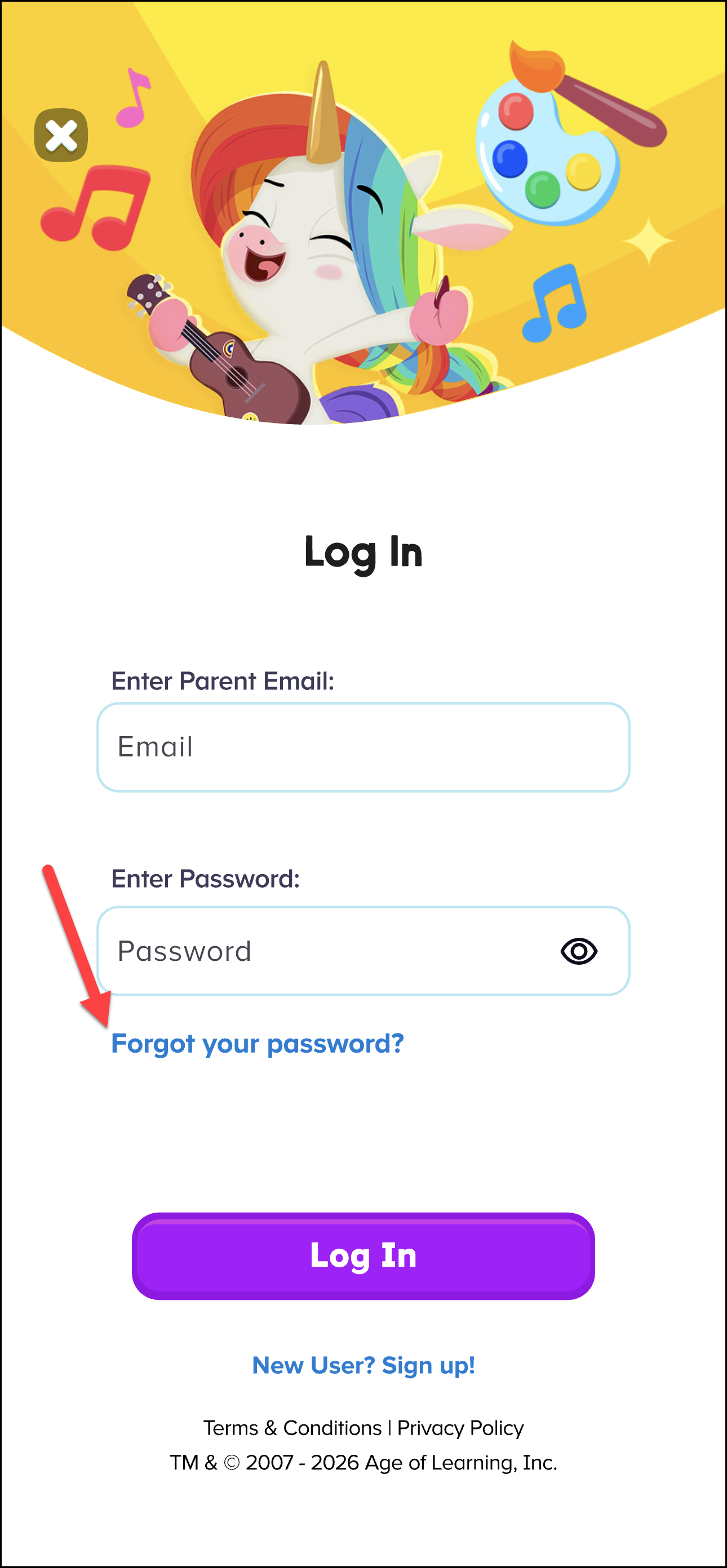
On the App
Open the ABCmouse 2 app.
On the login screen, select Forgot your password?
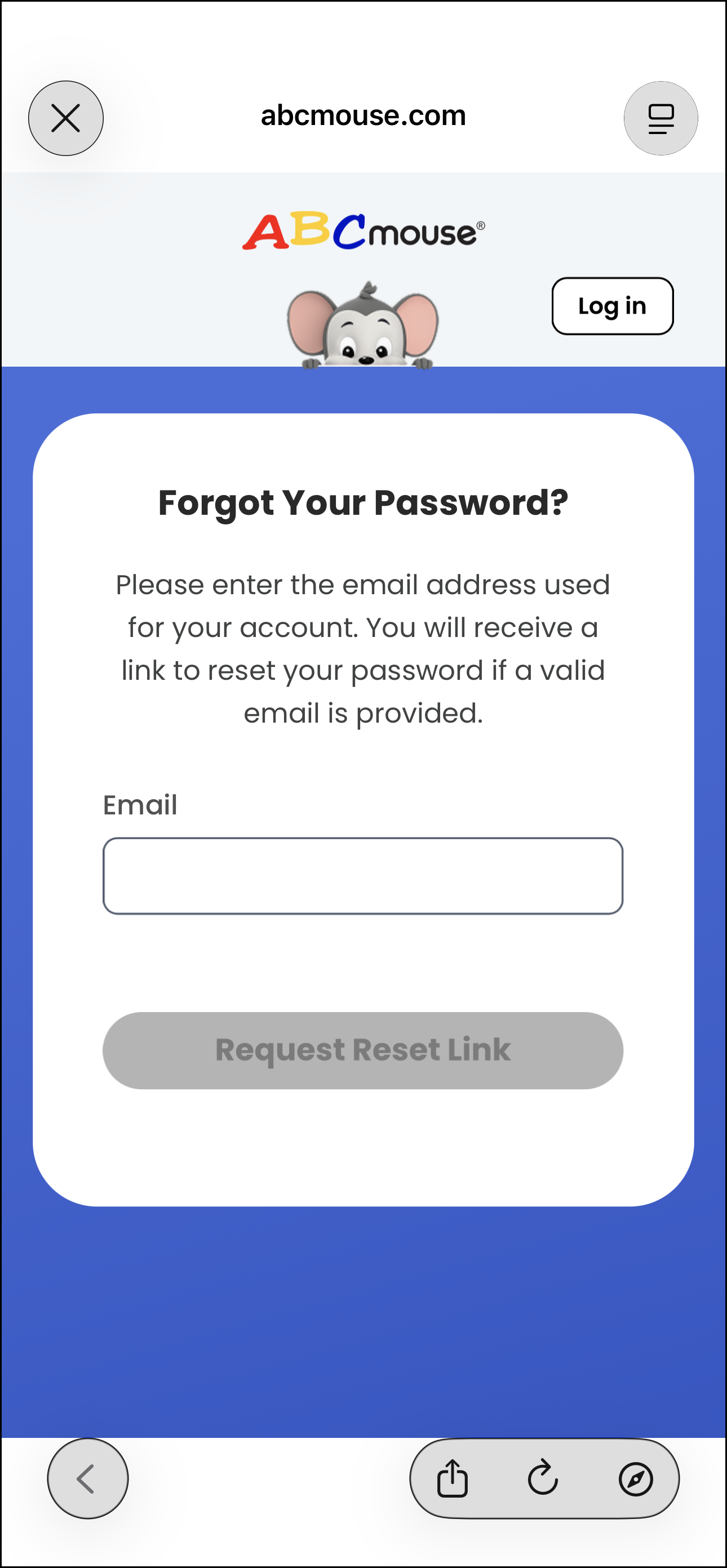
Enter the email address linked to your account, then tap Send.
Check your email for a reset link and follow the instructions to create a new password.
On the Website
Go to the ABCmouse 2 login page.
Select Need Help? on the login screen.
On the Account Access page, click the Click here link (if you use the same password for both ABCmouse and ABCmouse 2).
Enter your email address and click Send.
Check your email for a reset link and follow the instructions to create a new password.
If You Use Both ABCmouse and ABCmouse 2
If you log in to ABCmouse 2 using your original ABCmouse credentials, you should reset your password from the ABCmouse Help Centre instead. You can reset your original ABCmouse password hereIf you do not see our email in your inbox:
- You may have subscribed with a different email address. You can enter multiple email addresses into the forgot password tool if you are not sure which one you used, and then check them all to see which one gets the reset email.
- While it typically takes just a few minutes, you may need to wait up to 15 minutes for the reset email to arrive.
- You should also check your spam folder, as some reset emails may be incorrectly filtered by your email program. Click here for more password reset tips.